Flowdown is an online flowchart maker that gets you a professional diagram in seconds — drag and drop 13 node types, or describe your process in plain English and let AI draw it. Beautiful defaults, no design skills needed.
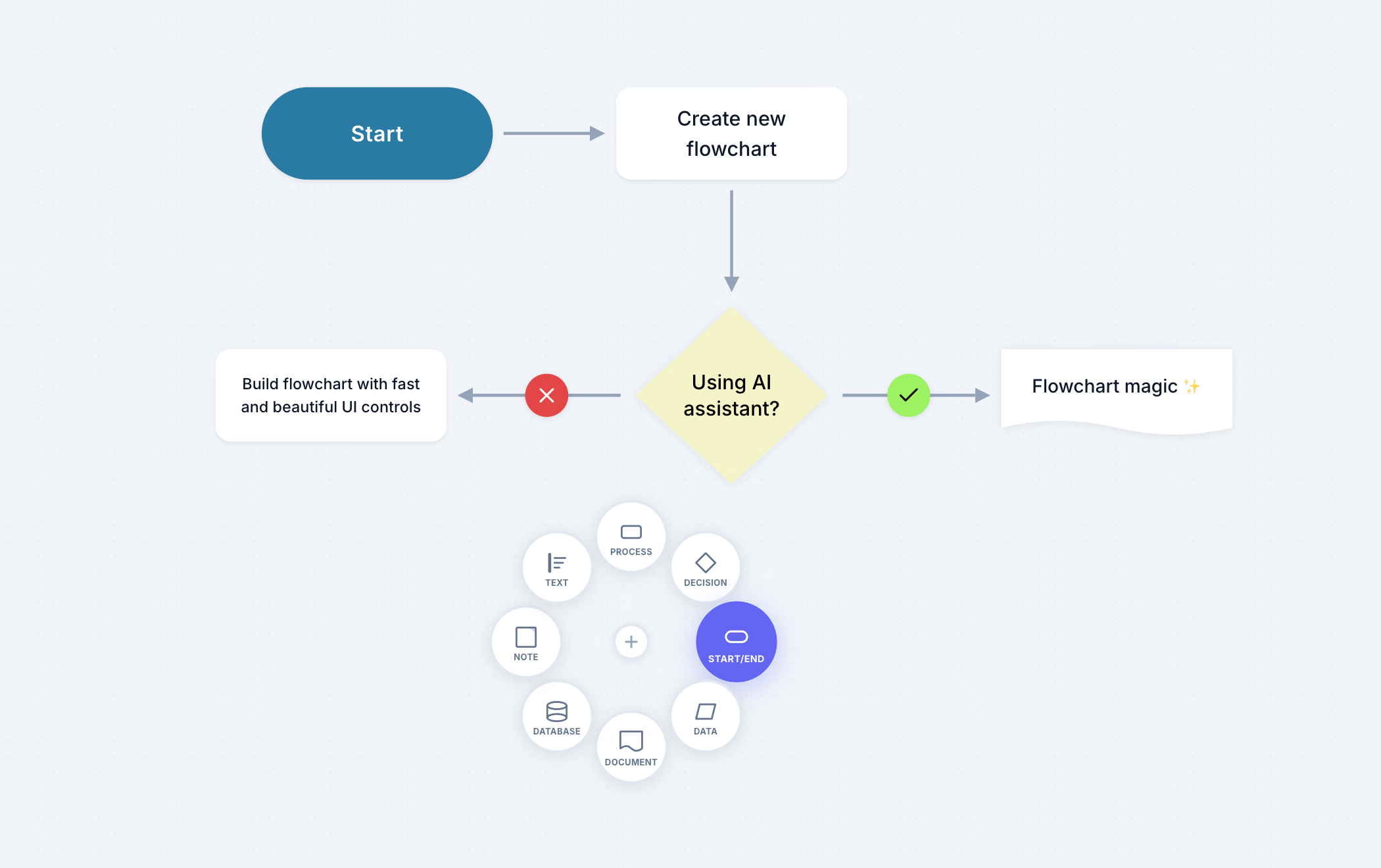
Flowdown is a web-based flowchart builder that combines drag-and-drop simplicity with AI-powered generation. Choose from 8 professional node types — Process, Decision, Start/End, Data, Document, Database, Sticky Notes, and Text Annotations — connect them with smart edges, and export your diagrams as PNG, SVG, or Mermaid code. Start for free, upgrade for unlimited flowcharts and AI assistance.
Powerful tools wrapped in a clean, intuitive interface. Start building in seconds.
Process, Decision, Start/End, Data, Document, Database, Preparation, Delay, Connector, Icon, Image, Sticky Notes, and Text Annotations — plus 1,800+ built-in icons.
Describe your process in plain English and get a complete flowchart with proper node types, decision points, and connections. The AI assistant can also edit and refine existing diagrams on command.
Auto-routing connections that adapt as you move nodes. Add labels, icon badges (check/cross for Yes/No branches), and choose from solid, dashed, or dotted styles with directional arrows.
Intuitive palette, radial menu, and handle quick-add for rapid building.
One-click vertical or horizontal layout with the dagre algorithm.
Export your diagrams as PNG, SVG, or JSON for any use case. Flowdown also supports bidirectional Mermaid import and export, so you can move between code and visual diagrams seamlessly.
Beautiful light and dark themes that look great on any display.
Auto-save with undo/redo history up to 50 steps. Never lose your work.
Most flowchart tools force you to choose between power and simplicity. Enterprise platforms like Lucidchart come loaded with features you will never use, buried behind complex menus and expensive per-seat pricing. Open-source alternatives like draw.io get the job done but look dated and require constant fiddling to produce presentable results.
Flowdown takes a different approach. Every flowchart starts with beautiful defaults — clean typography, balanced spacing, and a cohesive color palette — so your diagrams look professional from the first node. The interface stays out of your way: a radial quick-add menu, handle-based connections, and one-click auto-layout mean you spend time on your ideas, not on pixel-pushing.
Where Flowdown truly stands apart is AI assistance. On the Pro plan, describe any process in plain English — an onboarding flow, a CI/CD pipeline, a decision tree — and the AI generates a complete flowchart with the correct node types, decision branches, and connections. It is the fastest path from idea to diagram.
And unlike tools that lock you into proprietary formats, Flowdown supports bidirectional Mermaid import and export. Paste Mermaid code from your documentation and get an editable visual diagram. Export back to Mermaid to embed flowcharts in Markdown, GitHub READMEs, or Notion pages. Your work stays portable.
From quick sketches to production documentation, Flowdown adapts to how you work.
Map out system architecture, API flows, and CI/CD pipelines.
Visualize user journeys, feature workflows, and approval processes.
Create study aids, algorithm diagrams, and research methodology charts.
Document business processes, onboarding steps, and decision frameworks.
Go from idea to professional diagram in under a minute.
Start with a template or a blank canvas. Your workspace, your rules.
Drag nodes, connect them, and let AI help you structure the flow.
Export as PNG, SVG, or Mermaid code. Share with your team instantly.
Start free. Upgrade when you need more.
Perfect for getting started
For individuals and freelancers
For teams and power users
Everything you need to know about Flowdown.